Comprehensive guide to Debounce in JavaScript

A front-end developer who loves to build and learn new things.
Prerequisites
- Familiarity with setTimeout.
- Familiarity with closures.
- Familiarity with this keyword and function borrowing.
Introduction
In this article, we will learn about very commonly used performance optimization technique in javascript called debouncing. We will learn about how to implement it in real-life scenarios and where it can be useful while working on your web application.
So let's start.

Debouncing
Debouncing is a technique that allows a function to get executed after a specific delay once all the calls to the function have been stopped. For example, let's say there is a debounced function that we want to execute only if 500 milliseconds have passed without it being called. Now, it does not matter how many times we have called that function in a given span of time it will only get executed after 500 milliseconds once all the calls to it have been stopped.
Still not clear?

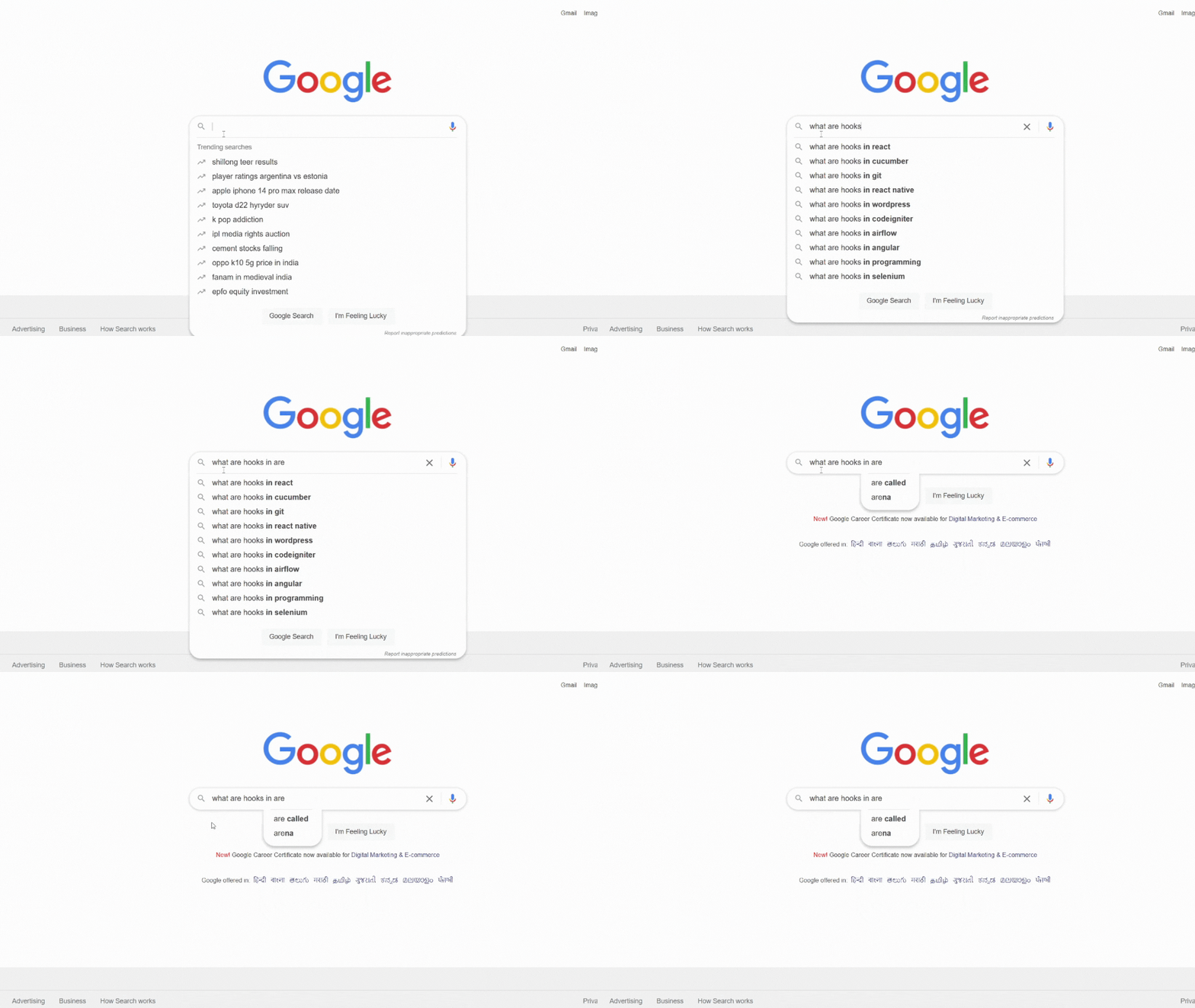
Let's take a real-life example. Let's say we want to build a search bar functionality similar to google i.e every time we type a character we should get suggestions matching our search keyword. What do you think about how does Google do it? Well, they make an API call to their server to bring back results related to the character that the user has typed. Pretty simple right? But if an API call is being made for every character typed it will be quite inefficient as API calls are costly operations. So, how does google optimize it? Well you would have noticed while you are still typing the suggestions do not change they only get changed after a small delay once you have stopped typing. So, they are calling the search function only after some delay has passed without the search function being called.
Check the gif below to get better understanding.
Now, let's try to write our own debounce function to understand debouncing in depth.

Writing your own debounce function
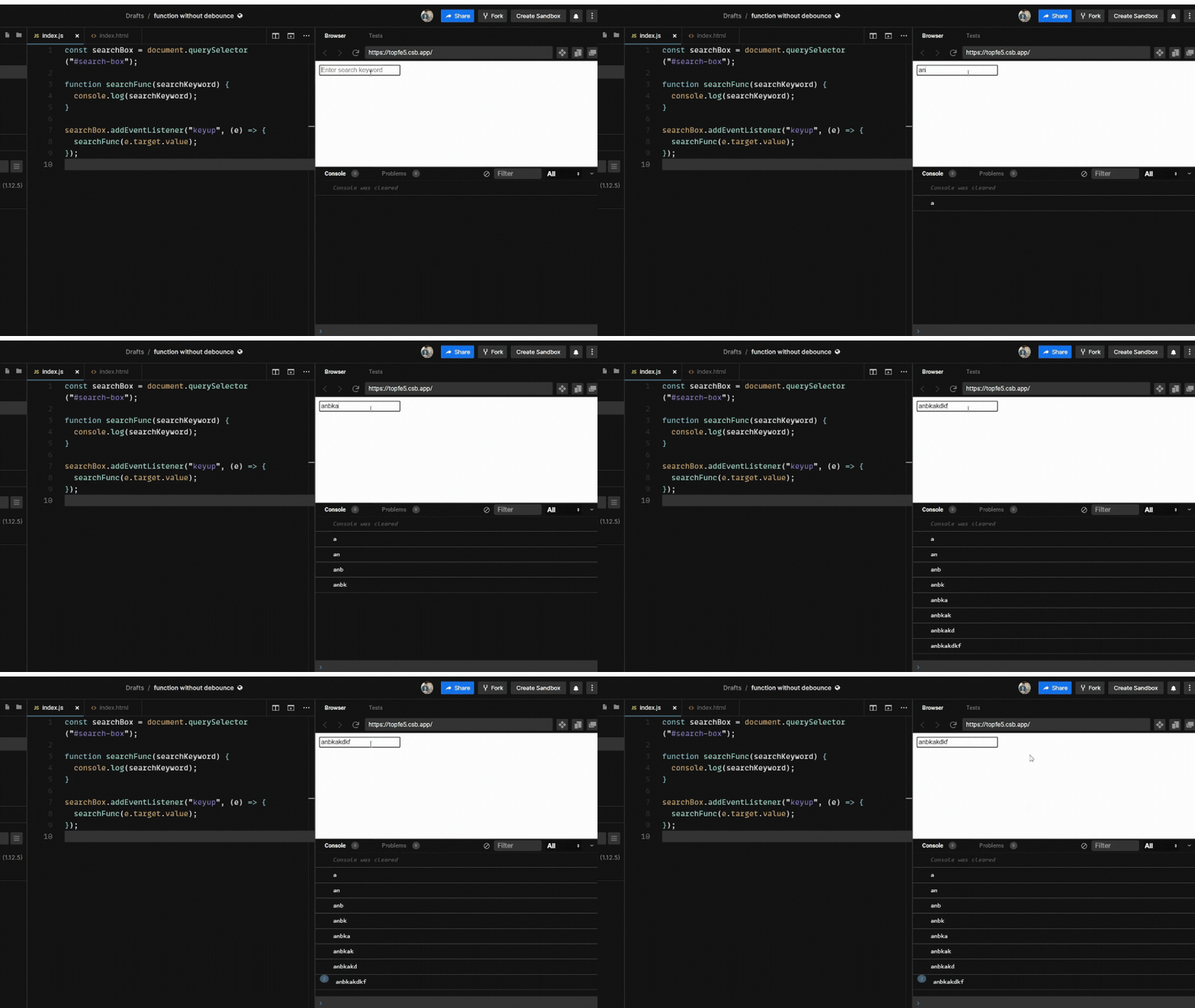
Before writing our own debounce let's see how our function will behave without debouncing. We will create a simple input field in our HTML file.
<input type="text" id="search-box" placeholder="Enter search keyword" />
And now we will simply log whatever is being typed by the user.
const searchBox = document.querySelector("#search-box");

function searchFunc(searchKeyword) {
  console.log(searchKeyword);
}

searchBox.addEventListener("keyup", (e) => {
  searchFunc(e.target.value);
});
But this will call our search function every time the user enters a character. Check out the gif below.
Calling search with debounce and handling edge cases
Now let's write our debounce function. And pass our search function to our debounce function
function debounce(func, delay) {
  let timerId;
  return function () {
    clearTimeout(timerId);
    timerId = setTimeout(() => func(), delay);
  };
}
This is our very basic first version of debounce function. But there are things that the above function lacks right now. But before going to that let's first understand this debounce function.
Debounce takes a callback function and a delay in the argument. The callback function is the very function (In our example the search function) that we want to run after a delay once the user stops calling the function frequently.
Another thing to note here is that debounce returns a function that is "closed over" timerId. So, the return function will always have timerId in its closure.
If the user calls the function frequently i.e in our case if the user enters the character in the search box frequently the timerId will get reset and hence the setTimeout will not run for the previous call as we have destroyed it.
The callback function that is passed to the debounce function only gets executed after a specific delay once the user stops calling that function.
So, let's try to debounce the search function that we wrote above. Below is the code sandbox link for the code :
Did you notice something unusual?
Though our function is now not getting executed for every character we type but we are getting undefined in the console and you must have figured it out why it is happening. Yes, we are not passing the argument to our callback function inside our setTimout. So, how do we fix it? Very simple we will use the rest operator in our returned function.
function debounce(func, delay) {
  let timerId;
  return function (...args) {
    clearTimeout(timerId);
    timerId = setTimeout(() => func(...args), delay);
  };
}
Below is the link to an improvised version of the code.
Improvised version of debouncing
So, we have taken care of our first edge case. The second edge case is not easy to catch. Let's see an example first where our above debounce function fails right now. For better understanding, I will not use debounce on our search function.
We will try to use debounce function for below code:
function debounce(func, delay) {
  let timerId;
  return function (...args) {
    clearTimeout(timerId);
    timerId = setTimeout(() => func(...args), delay);
  };
}

function intro() {
  console.log(`My name is ${this?.name}`);
}

const person = {
  name: "Ankit",
  introduce: debounce(intro, 500)
};

person.introduce();
Check the below code sandbox:
Second edge case in debouncing
Did you notice our function is throwing undefined for the name's value? And that is because our func function inside the setTimeout has this bound to the global object as it is invoked of its own i.e (free function invocation).
So how do we fix it?
Well, we have function borrowing methods in javascript which can help us handle this edge case.
function debounce(func, delay) {
  let timerId;
  return function (...args) {
    // get the context when the debounced function is invoked
    const context = this;
    clearTimeout(timerId);
    // bind the func with the above context
    timerId = setTimeout(() => func.apply(context, ...args), delay);
  };
}
See the below code sandbox to see the final version of our debounce function.
Finally, we are done with our debounce function.
Summary
Debounce is a very common technique that allows a function to execute only after a certain amount of time since it was last invoked.
The most common use case of debouncing is used in search functionality.
That's all thanks for sticking to the end. Please give your valuable feedback in the comment section below.

